Today, we’re excited to officially introduce Radicle Desktop - a simple, intuitive desktop app that makes contributing to the Radicle network easier than ever.
Since Radicle reached version 1.0.0 in September last year, we’ve been focused on improving the overall user experience. We believe the Radicle network becomes more valuable the more people participate - and Radicle Desktop is a step toward making that participation more accessible, without making any compromises.
Try it out! 🪄
Head over to {{ site.url }}/desktop to find the install instructions including packaged versions for major distributions.
What is Radicle Desktop?
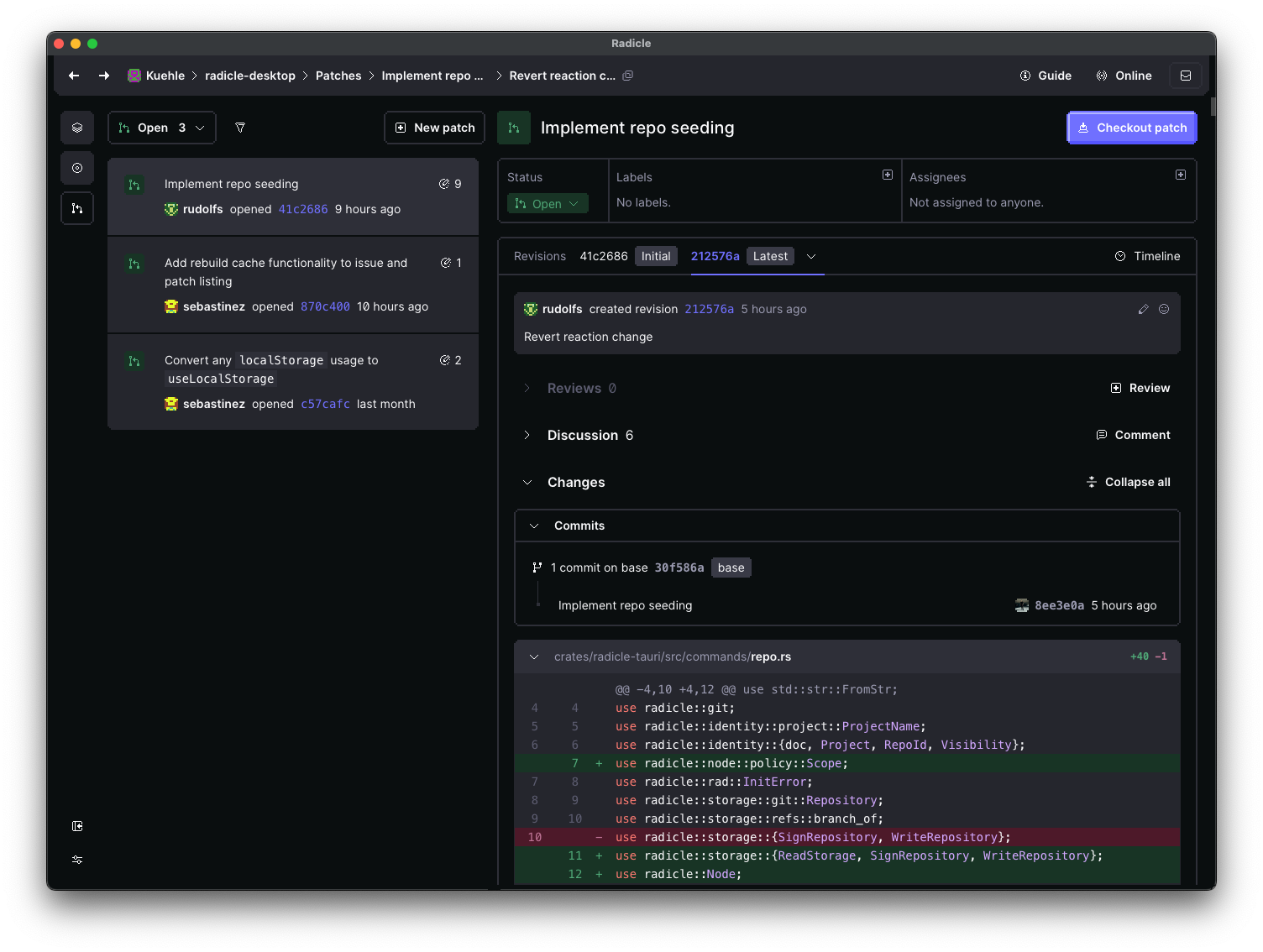
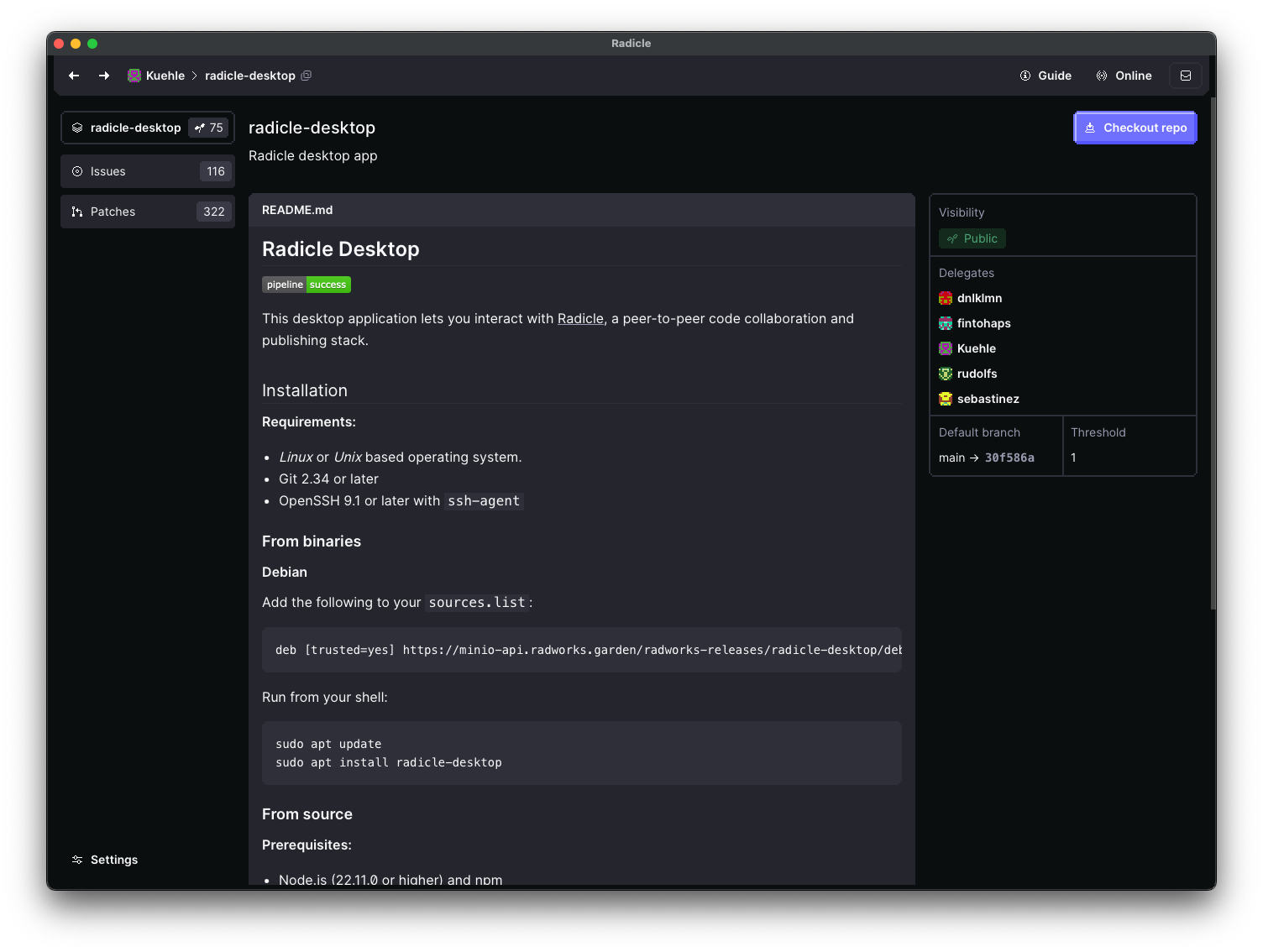
Radicle Desktop is a graphical interface built to simplify some of the more complex parts of the Radicle experience, such as issue management and patch reviews. It offers a familiar experience to other forges, giving you an overview of all the repositories on your node, and allowing you to manage issues and collaborate on patches seamlessly.
What Radicle Desktop (currently) is not
Radicle Desktop is not trying to replace your terminal, IDE, or code editor - you already have your preferred tools for code browsing. It won’t replace our existing [{{ site.explorer }}](https://{{ site.explorer }}) and search.radicle.xyz for finding and exploring projects. It also doesn’t run a node for you. Instead, it communicates with your existing Radicle node, supporting your current workflow and encourages gradual adoption.
Why we’re excited 🎊
Radicle Desktop marks the latest addition to the growing Radicle ecosystem. A lot of work has gone into this release, and we’re happily using Radicle Desktop ourselves for some time now. We also want to extend a big thank you to everyone who tried the earlier versions - the feedback has been immensely valuable. Even some of the CLI fans admit that certain workflows are better in the app.
---
title: "Radicle Desktop 🖥️"
image: radicle-1.png
---
Today, we're excited to officially introduce Radicle Desktop - a simple, intuitive desktop app that makes contributing to the Radicle network easier than ever.

Since Radicle reached version 1.0.0 in September last year, we’ve been focused on improving the overall user experience. We believe the Radicle network becomes more valuable the more people participate - and Radicle Desktop is a step toward making that participation more accessible, without making any compromises.
## Try it out! 🪄
Head over to [{{ site.url }}/desktop][desktop] to find the install instructions including packaged versions for major distributions.
## What is Radicle Desktop?

Radicle Desktop is a graphical interface built to simplify some of the more complex parts of the Radicle experience, such as issue management and patch reviews. It offers a familiar experience to other forges, giving you an overview of all the repositories on your node, and allowing you to manage issues and collaborate on patches seamlessly.
## What Radicle Desktop (currently) is not
Radicle Desktop is not trying to replace your terminal, IDE, or code editor - you already have your preferred tools for code browsing. It won’t replace our existing [{{ site.explorer }}](https://{{ site.explorer }}) and [search.radicle.xyz](https://search.radicle.xyz) for finding and exploring projects. It also doesn’t run a node for you. Instead, it communicates with your existing Radicle node, supporting your current workflow and encourages gradual adoption.
## Why we’re excited 🎊
Radicle Desktop marks the latest addition to the growing Radicle ecosystem. A lot of work has gone into this release, and we’re happily using Radicle Desktop ourselves for some time now. We also want to extend a big thank you to everyone who tried the earlier versions - the feedback has been immensely valuable. Even some of the CLI fans admit that certain workflows are better in the app.
[desktop]: /desktop